How to Redeem a GCash Voucher Someone Sent You From Abroad
Published on October 19, 2026
Your sister in New Jersey texts you a screenshot: "Check your email, I sent you something for Mama's groceries." You open it and find a long code, a button, and no instructions. If you've never redeemed a voucher, it's easy to hesitate. Is this a payment link? Do you need to download something? Can you just tap it?
If you're the one who sent it, you've probably wondered the same thing from the other side. Sending a gift card internationally takes a few minutes, but you won't be standing next to your mom while she holds her phone and wonders what to do next.
This guide is written so you can forward it. It covers what a voucher is, what to check before you start, a safe order of steps, and what to do when a code misbehaves. Redeeming is usually quick. A few small details, and one safety rule about your GCash MPIN, cause most of the confusion in 2026.
One caveat first. GCash vouchers come in different forms, and the exact screens and button names change as apps update. So this guide won't invent menu paths. Where the details depend on your specific voucher, the instructions in the message you received are the final word.
First, what a voucher is (and isn't)
A voucher is not a bank transfer. Nothing happens in the recipient's phone the moment the sender presses send. What gets delivered is a code or a redemption link, usually by email or a messaging app, and the recipient then has to claim or use it.
That gap is where most mix-ups happen. The sender thinks the gift has "arrived." The recipient doesn't see anything in the app yet, because they haven't claimed it.
Think of it as a paper gift certificate that came by message. It holds value, but only once someone presents it. Until then, it's an unopened envelope. So the first thing to tell your family is: the gift is waiting for you to claim it, and you may not see anything in the app until you do.
Different vouchers also work differently. Some are redeemed for a specific benefit or merchant offer, and others follow their own instructions. That's why the message that came with your voucher matters more than any general guide. Read it first.
This is also the practical upside of a cross-border gift in digital form. There's no parcel to wait on, no customs forms, and no import tax. A gift sent overseas this way arrives as a message, so the only waiting is for the person to open it.
Before you redeem: a quick checklist
Most failed redemptions come from something small and fixable. Run through these first:
- The GCash app is installed and updated. An outdated app can hide or break features. Update it from your app store before you start.
- You can log in to your account. GCash accounts are tied to a mobile number and protected by an MPIN. Make sure you remember your MPIN and that the SIM tied to the account is in your phone. If you changed numbers recently, sort that out first.
- Your account is set up and verified. Some features depend on how fully verified an account is. If yours is new or only partly verified, finish that before you need it.
- You have the original message. Don't delete the email or text that contains the code. Keep it until you've confirmed the voucher was redeemed.
- You know the deadline. Many vouchers have an expiry or a redemption window. Look for it in the message and in the voucher's terms. If the message doesn't state one, check with the official channel of the service that issued the voucher. Don't assume you have weeks.
A few minutes on this list can save you a frustrating afternoon.
The one safety rule: where you enter your MPIN
Before any steps, this is the most important rule in the guide.
Enter your MPIN only inside the official GCash app, or through GCash's own verified login. Never enter it on a page you reached by tapping a link in a message.
A redemption link may open a page that asks you to confirm the code or your details. That can be normal. But a page that asks for your MPIN or one-time password after you tapped a link is a classic phishing pattern. If something asks for your MPIN and you're not sure where you are, stop. Close the page, open the GCash app directly from your home screen, and continue from there.
When in doubt, ask the person who sent the voucher to confirm what the link is supposed to do.
Step by step: redeeming the voucher
The wording of buttons changes with app updates, so treat this as the safe general order. If a label looks slightly different on your screen, go with what you see and with the instructions in your message.
1. Open the message that contains the voucher. It might be an email, a text, or a chat message, depending on how the sender delivered it. Look for a redemption link, a code, or both.
2. Read the details before you tap anything. The message should state what the voucher is, its value, the deadline, and how to use it. Take a screenshot as a backup.
3. Check where the link goes. If the message includes a link, look at it before you tap. It should come from the service that sold the voucher, and the sender should be someone you were expecting. If anything feels off, skip the link and ask the sender.
4. If there's a code, copy it exactly. Use copy and paste instead of retyping, which is where most errors creep in.
5. Follow the instructions for your voucher type. Some vouchers are claimed on a redemption page. Others are used inside an app or at a merchant. The message will tell you which. Remember the MPIN rule above: if you're asked to log in to GCash, do it in the official app.
6. Confirm the details on screen. The page or app should show what you're about to claim. Check that it matches what the sender told you.
7. Confirm it worked the way the instructions say. Don't assume the result will show up in one specific place. Depending on the voucher, confirmation might be a message on the redemption page, an email receipt, or something inside the app. Check the confirmation method stated in your voucher's instructions. If you don't see it right away, give it a few minutes and refresh before assuming something went wrong.
Once you've done it once, it gets much faster. The first time is the hard part.
Troubleshooting: when it doesn't work
Here are the situations that come up most, and what usually fixes them.
"The code says it's invalid"
This is very often a typing issue. Characters that look alike, like the number 0 and the letter O, or the number 1 and the letter I, are the usual culprits. Copy and paste the code instead of typing it. Also check for a stray space at the beginning or end, which can sneak in when you copy.
"It says it's already been used"
Check whether someone in the family already tapped the link, or whether the sender accidentally opened or forwarded it. Codes typically work once. If nobody remembers redeeming it, take a screenshot of the error and contact the support team of the service that sold the voucher, with the original order details in hand.
"I can't find where to enter the code"
Reread the original message. Sometimes the instructions point to a web page rather than the app itself. If you're inside the app, look for sections related to gifts, vouchers, or promos. Menu names change, so don't be afraid to explore a little. Just remember that if anything asks for your MPIN outside the official app, you stop.
"The voucher is for the wrong country"
Gift cards and vouchers are generally tied to a specific country and aren't interchangeable. A US Starbucks gift card won't work in the Philippines, and the reverse is also true. If you're sending a gift overseas, make sure the voucher is designed to be used by someone in the Philippines. Check this before you buy, not after.
"It expired before we got to it"
Expired vouchers are often hard or impossible to recover. Contact the issuer's support, but don't count on it. The best prevention is telling your family the deadline before you send, and asking them to claim it promptly.
"The amount looks different from what I was told"
Look at the value stated in the voucher message itself, which is the number that matters. If the sender told the family one number and the voucher says another, it can look like something is missing. If you sent it, check your confirmation email and tell your family the exact face value. If the numbers still don't match, take screenshots of both and contact support.
For senders: what to tell your family before you hit send
You can't stand next to your mom while she redeems the voucher, but a little preparation goes a long way. Before you send:
- Tell them it's coming, and how. "I'm sending a voucher by email, it should be there in a few minutes" is enough. A surprise that looks like spam gets ignored.
- Tell them the value and the deadline. That way they know what to look for and how long they have.
- Tell them what to do, in one sentence. "Open the email, follow the steps in it, and only log in to GCash inside the app."
- Tell them what not to do. Don't share the code, and don't forward the message. Treat a voucher code like a gift card number or a PIN: anyone who has it may be able to use it.
- Double-check the address or number. A typo here sends the voucher to the wrong inbox.
- Keep your receipt. If something goes wrong, your order confirmation is the first thing support will ask for.
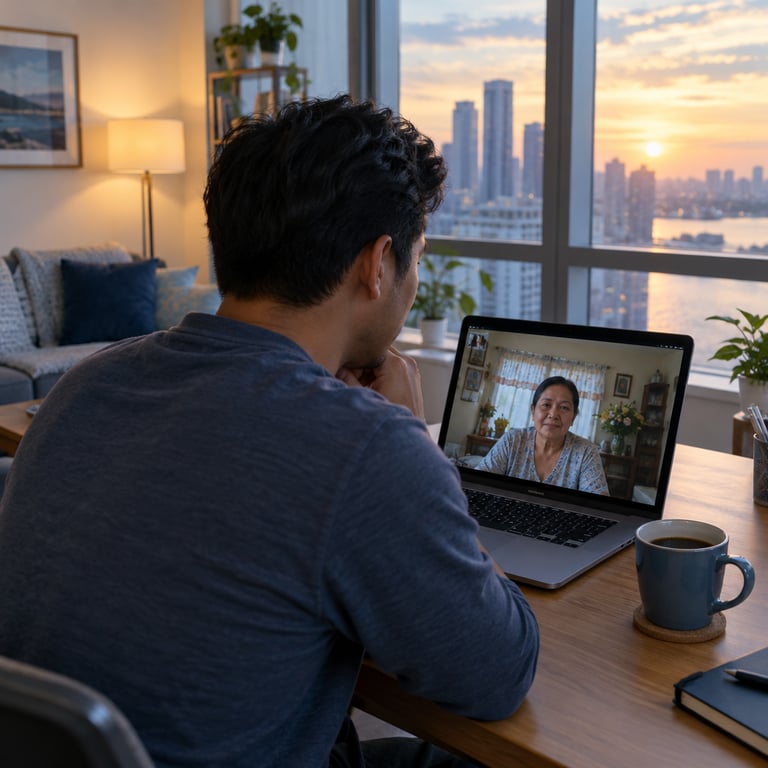
If you're not sure your family will be comfortable doing this alone, schedule a quick video call when you send it and walk through it together. It takes a few minutes, and it turns a possibly stressful moment into a nice one.
A quick word on scams
Vouchers and codes are a favorite tool for scammers because they're easy to pass along. A few simple rules protect your family:
- Only redeem vouchers you were expecting, from someone you know.
- Never share a voucher code with anyone who contacts you asking for it, even if they say they're support staff.
- Never enter your MPIN or a one-time password on a page you reached from a link. Use the official app.
- Be wary of pressure, like "redeem within the hour or you lose it." Check the real deadline in the voucher's terms or with the issuer's official channel instead of trusting a message that rushes you.
- Don't pay anything to "unlock" a voucher. If a message asks for a fee to release a gift, treat it as suspicious and ask the sender.
Passing these rules along to older relatives is one of the most useful things you can do as a sender.
Where to go from here
If you've sent a voucher, or you're about to, the best next step is simple: forward this guide to the person who'll be redeeming it and tell them what to expect. A short message like "the voucher is coming, here's how to claim it" saves a lot of back-and-forth later.
If you're still working out how to send a gift card internationally, compare your options on a few practical points: whether the recipient can use the gift in their own country, whether there's any extra shipping cost or customs tax, and how easy redemption is on the receiving end. A parcel has to cross a border. A digital gift card doesn't. SodaGift is a cross-border gift service where the recipient redeems a digital gift card in their own country, with no shipping and no customs. Whichever route you pick for a cross border gift, the same principle holds: the easier you make the first few minutes for your recipient, the better the whole gift feels.
And if you're the one holding a voucher right now, take a breath. Open the message, read the instructions, keep your MPIN inside the official app, and follow the steps in order. It's less complicated than it looks.